 DevDesk
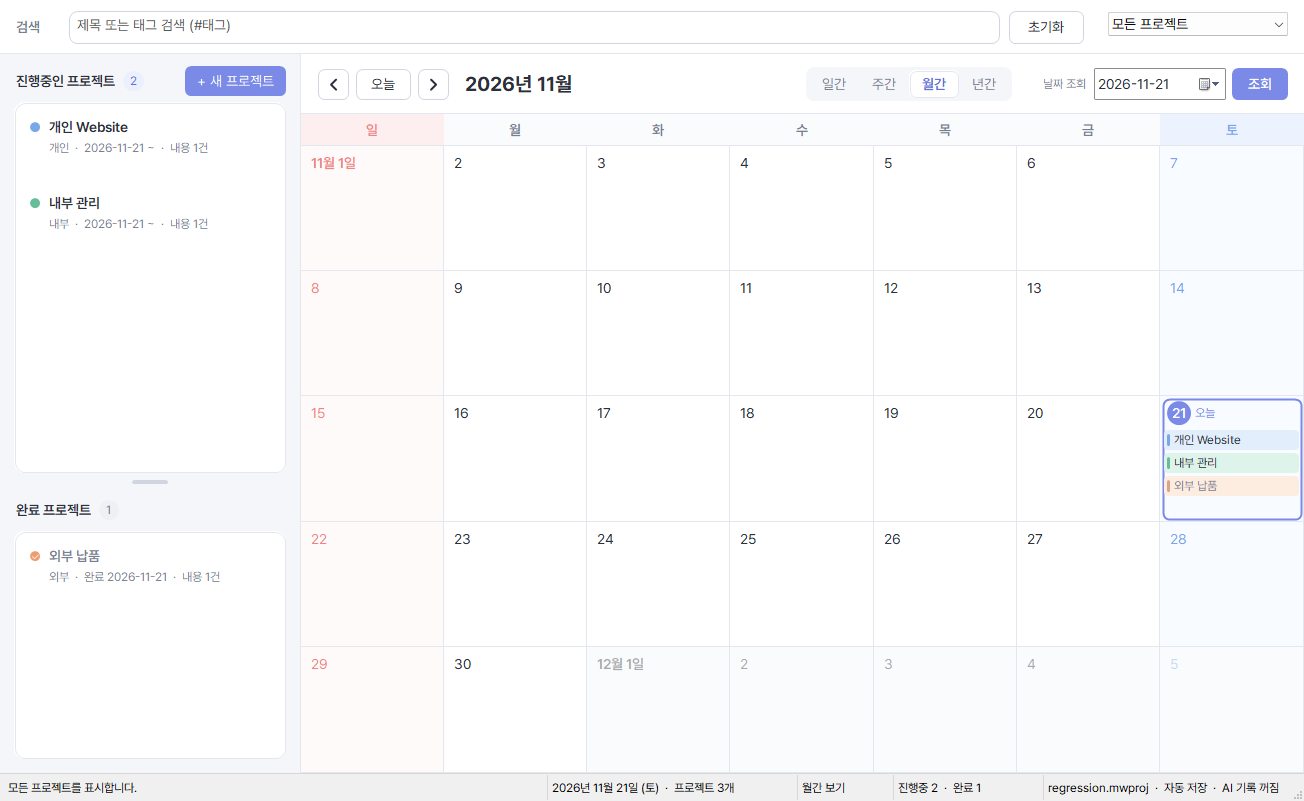
Monthly calendar
Select Month in the calendar toolbar. Projects are color-coded by date. Double-click an empty date to register a project.
Choose a feature to see the DevDesk screen and the controls to use.
Select Month in the calendar toolbar. Projects are color-coded by date. Double-click an empty date to register a project.
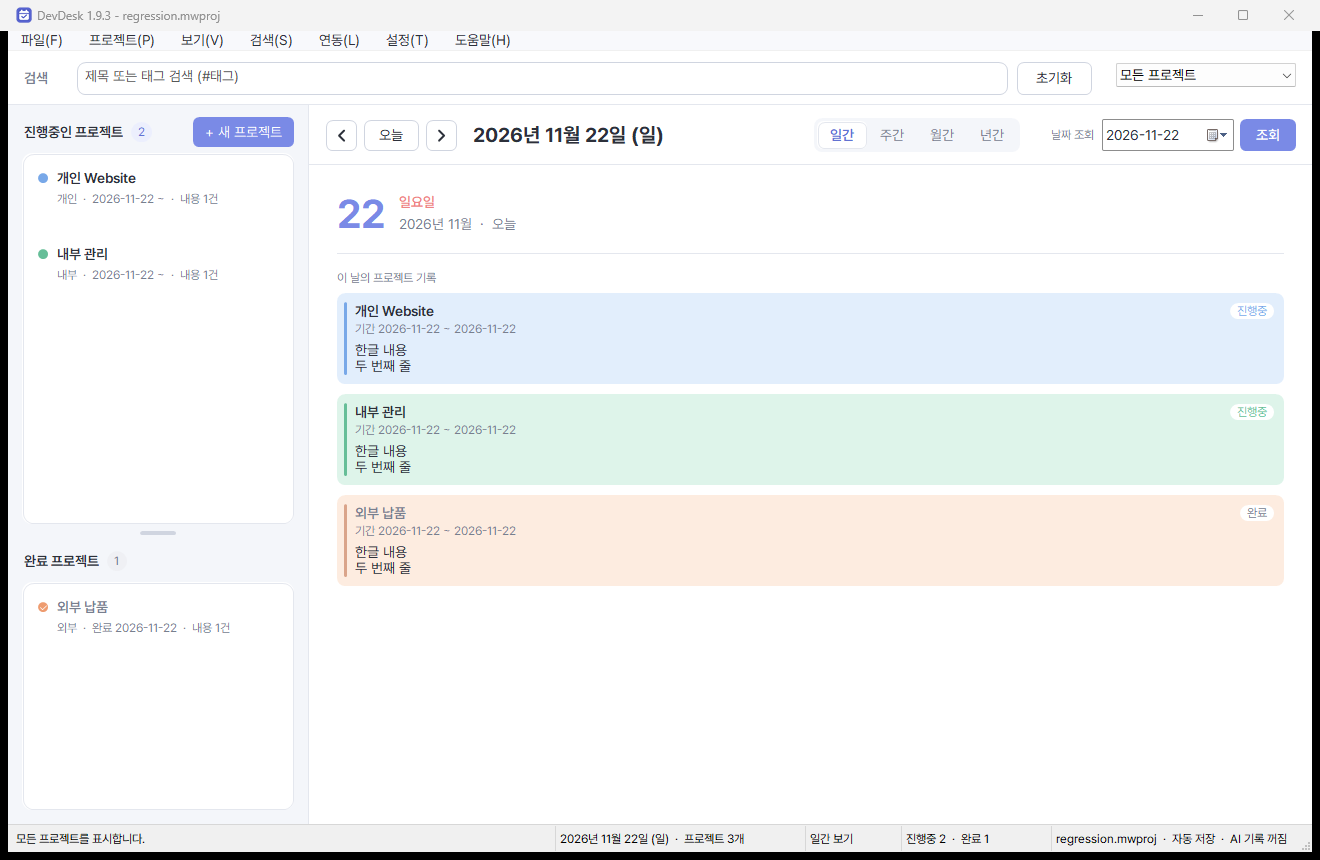
Select Day and use the date field to find a day’s records. Each card previews the day’s notes. Double-click it to read the full record.
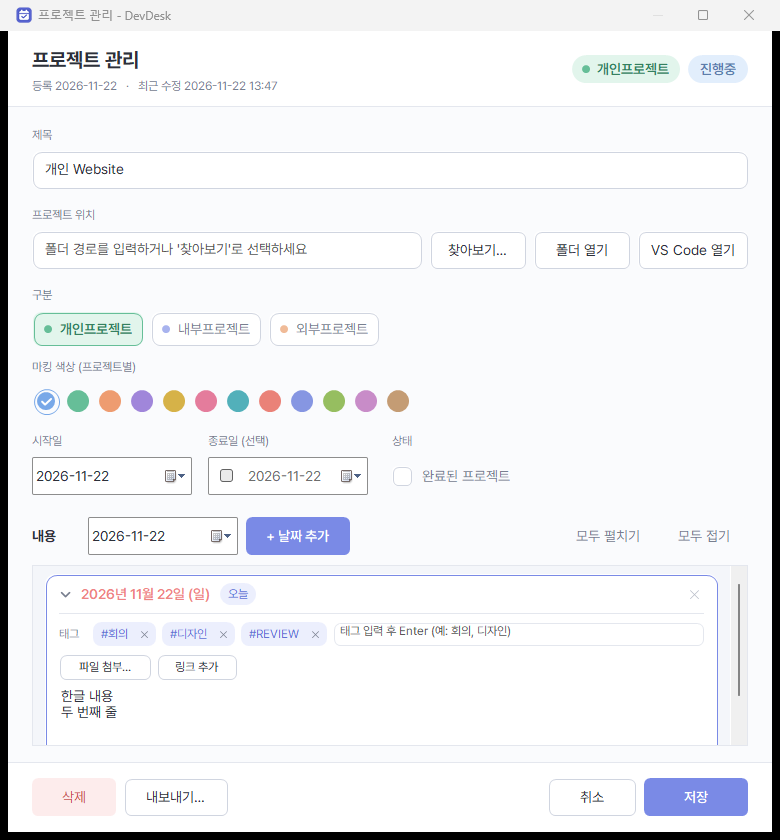
Set the project folder and date range at the top. Use Add date to enter notes, tags, and attachments, then click Save.
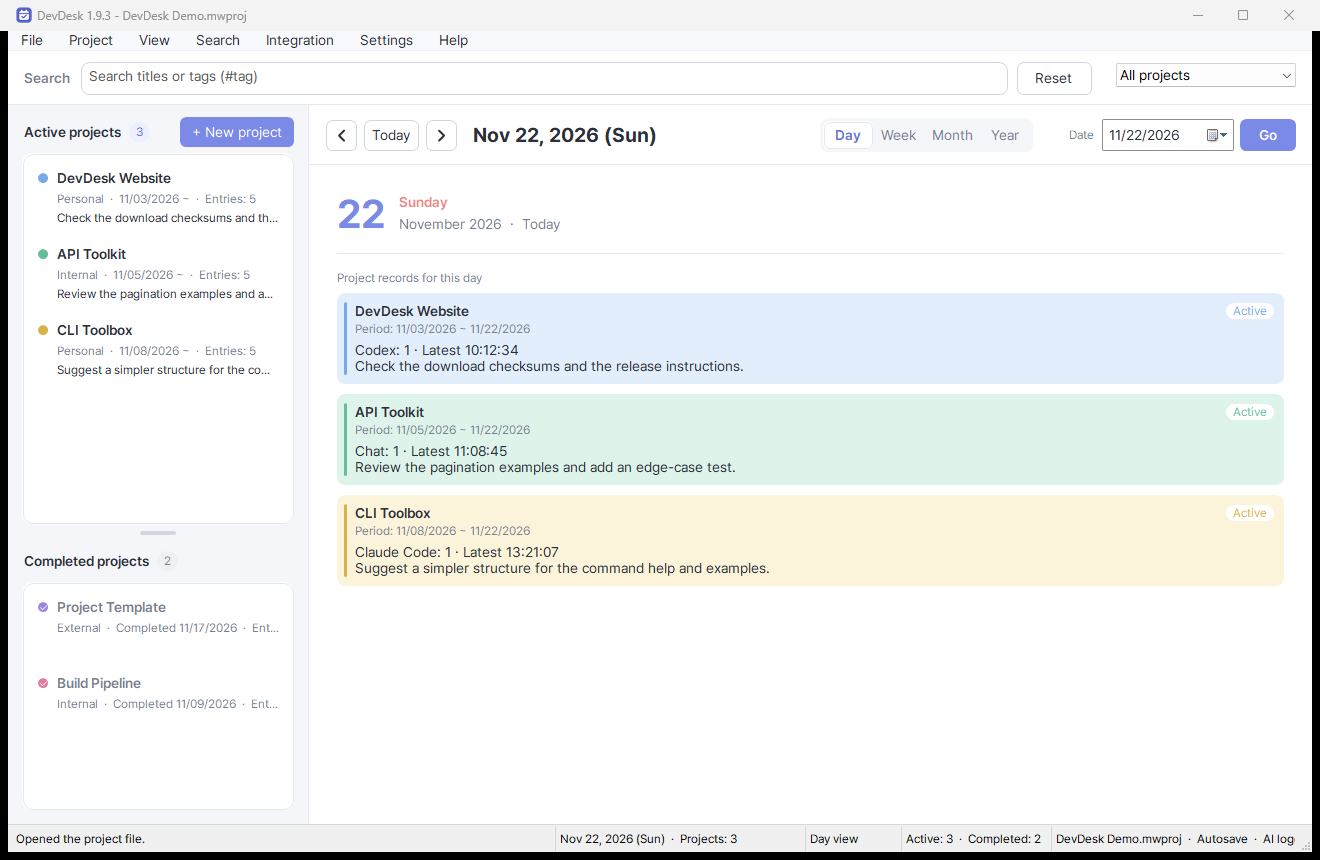
Daily cards show the AI tool, prompt count, latest time, and prompt preview. Open a card to read the saved conversation.